

CalStudio now partners with Koah Labs so you can turn any AI experience into an ad-supported product without writing code.
Overview
Koah Labs helps AI creators monetize apps with relevant, privacy-conscious ad placements. When you enable Koah Ads from your CalStudio app settings, the integration automatically:- Connects your selected app to Koah’s contextual ad network
- Detects what the end-user is talking about during a session
- Serves inline ad suggestions that match the topic (e.g., workouts, finance, travel)
- Tracks clicks and earnings so you can get paid out in cash
Requirements
CalStudio App
Launch any app you want to monetize from your dashboard.
Koah Labs Account
Accept Koah’s terms when enabling ads. Their guide covers how their marketplace works.
Stripe Connection
Required to distribute ad earnings. Connect Stripe once per workspace so funds can be deposited.
Live App Traffic
Ads begin serving as soon as conversations hit qualifying contexts.
Enable Koah Ads in CalStudio
1. Connect Stripe for payouts
- Sign in to the CalStudio Dashboard and open Workspace Settings → Billing & Payouts.
- Click Connect Stripe and complete Stripe’s onboarding flow.
- Once Stripe shows as Connected, CalStudio can route Koah Labs ad payouts to your bank account.
You only need to connect Stripe once per workspace. All apps that monetize with Koah Ads will use the same payout destination.
2. Enable Koah Ads on an app
- Open the app you want to monetize and click App Settings → Monetization.
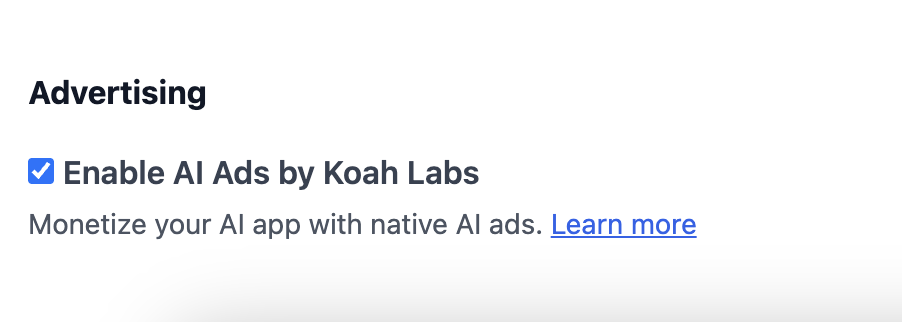
- Toggle Koah Ads to On and accept the Koah Labs terms of service.
- Ads automatically render at the end of chat responses, so no manual placement selection is required.
- Save your changes. Ads will begin serving immediately without additional deployment steps.
3. Preview the experience
- Launch your app in preview mode.
- Start a conversation on a specific topic (e.g., “create a weight lifting routine”).
- When Koah detects the context, it returns an ad panel that matches the conversation, such as a training program or supplement offer.
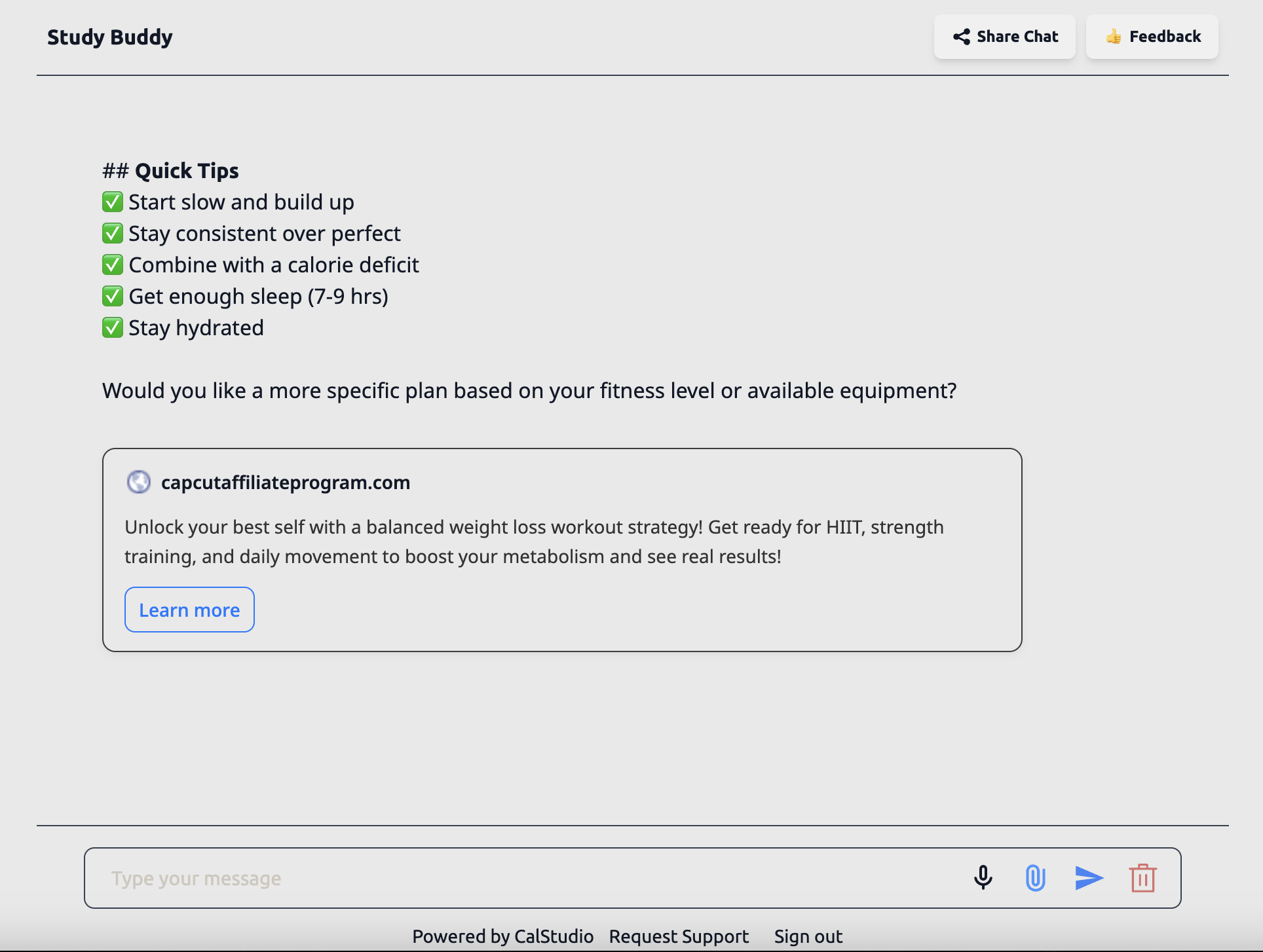
If you switch topics during a session, Koah automatically refreshes the ad creative so it remains relevant.
How contextual ads are selected
Koah Labs analyzes the live conversation transcript (not stored by CalStudio) to understand the subject matter. Only context that is necessary to choose the correct ad is sent, and Koah returns a structured payload with:- Creative copy, image, and CTA metadata
- Relevance tags (fitness, finance, travel, etc.)
- Tracking identifiers for impressions and clicks
Tracking clicks and earnings
- In-app analytics: A dedicated Koah Ads dashboard inside Analytics → Monetization is in progress and targeted for Q1 2026.
- Monthly statements: Until the dashboard ships, we will email you at the end of each month with a CSV that lists impressions, clicks, effective CPM/CPC, and the Stripe payout amount.
- Stripe transfers: Expect deposits to land within 2–3 business days after each monthly statement. You will also see the transfer memo
CALSTUDIO · KOAH ADS.